Author name: Becky Strong

Setting up Two-Factor Authentication for your Invoco account

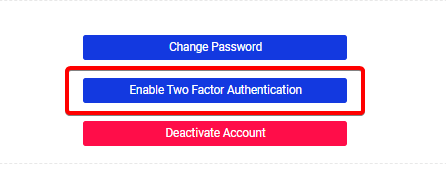
Enabling two-factor authentication on your Invoco Portal is a quick & easy way to improve account security. Here’s how in three simple steps. Step 1 Enabling Two-Factor Authentication Head to the Account page of your Invoco Portal, scrolling down you’ll see the option to enable two-factor authentication. (https://portal.invoco.net/account/details) Step 2 Setting up your 2FA Application/Device

Setting up Two-Factor Authentication for your Invoco account Read More »

Using the Documents section of your Invoco Portal

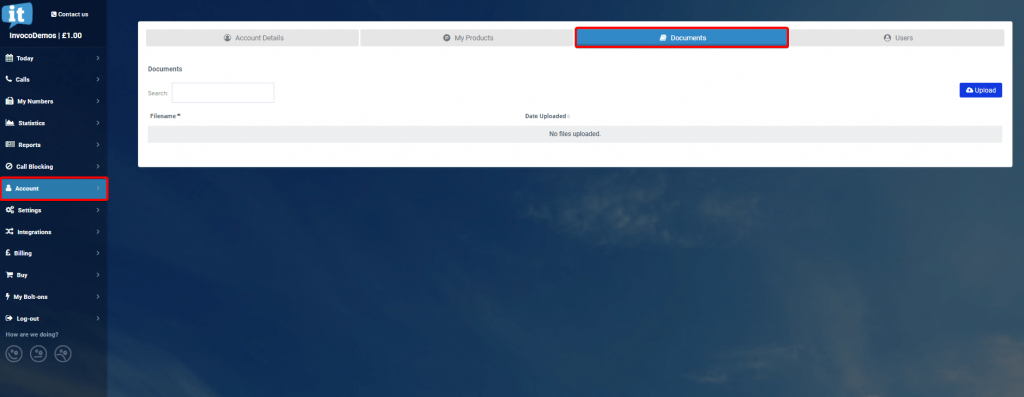
Using the Documents section of your Invoco portal, uploading and downloading, and the purpose behind it. The Documents tab of your portal is intended to safely transfer files to/from the Invoco support team instead of email attachments – this is how you can view, upload, and download documents. Step 1 Locate the Documents page Head

Using the Documents section of your Invoco Portal Read More »

Scheduling a Holiday Divert for your Invoco Numbers

Bank holiday, staff training/outing, or just out of the office for a little while? Don’t forget to schedule a divert for your numbers! Invoco makes scheduling a temporary divert quick & easy with the Holidays feature. Enabling the Holidays divert function Head to your Invoco Portal, under the My Numbers page you’ll see the ‘Holidays‘

Scheduling a Holiday Divert for your Invoco Numbers Read More »

Cart Detail